
Building AGUILA Tattoo
A website for an artist is a lot of small decisions about what deserves attention.
One of Richelle's first requests was very specific: black should actually be black.
Her existing website's dark background wasn't quite there. The logo needed more care, some information was outdated, and the site didn't feel like something she wanted to use. That gave us a much better starting point than choosing a framework: what would make this feel like her studio?
Richelle Gabunia runs AGUILA Tattoo, a private tattoo studio in Vienna. I built the new website around her work, her taste, and the way she wants people to get in touch. We have been iterating on a deployed version, looking at the actual pages and refining them together.
You can explore the website to see how those decisions fit together.
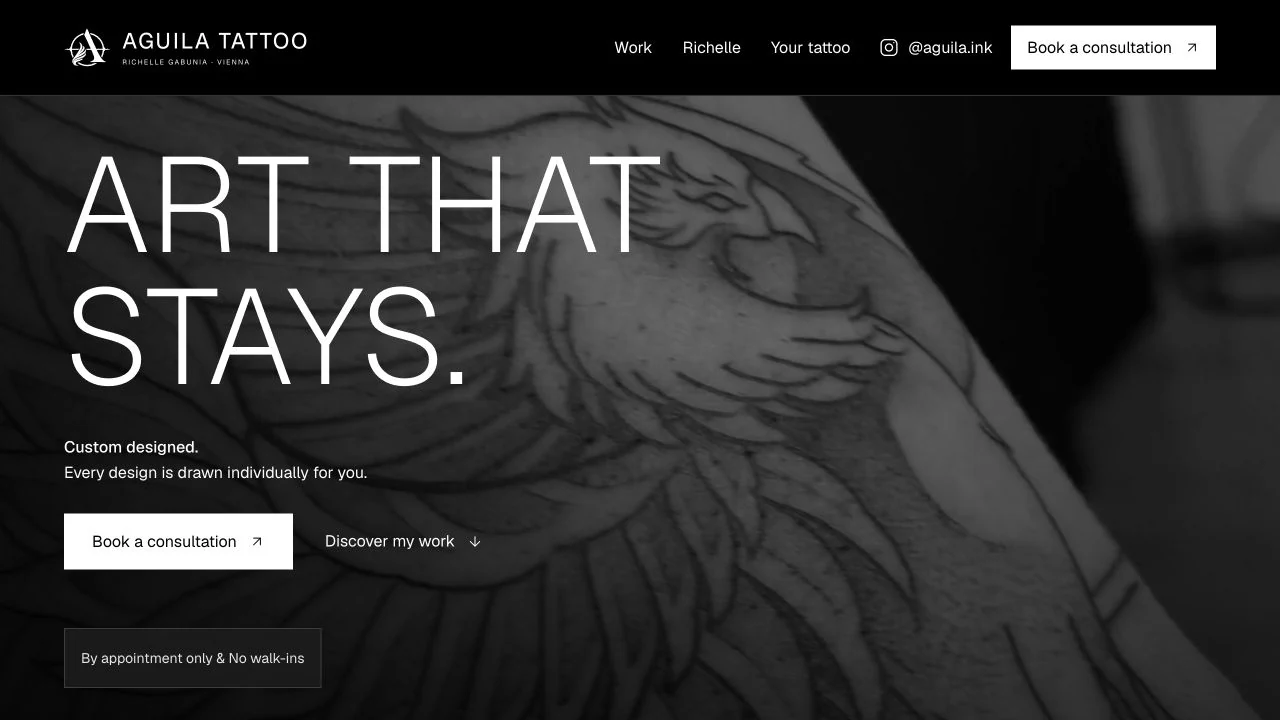
Start with how she works
The site has two main jobs: give people a good look at Richelle's tattoos and help them make an informed inquiry.
She already has a Tally form that collects what she needs for that first conversation: an idea, placement, approximate size, and references. Keeping it as the primary action made sense. Email is available, and @aguila.ink has a prominent place because Instagram is already part of her work and communication.
Those choices shaped the hierarchy. The consultation link is easy to find. References to the form in the process and FAQ link straight to it. Phone and WhatsApp don't become competing routes into her day.
The copy also needed to describe the actual experience. Each design is drawn individually. Visits are by appointment. Pricing happens in a personal consultation. These details help someone understand what will happen before they send a request.
Even the appointment notice took a few rounds. It needed to be visible near the hero, have the right tone, and sit comfortably alongside the artwork. We ended up with a compact, dismissible notice and a reminder in the footer. Something this small can matter a lot to the person running the studio.
Finding the visual language
We took inspiration from a few well-regarded websites, guided by Richelle's taste. The direction was minimal and bold, with generous space and restrained movement.
The resulting palette is almost entirely monochrome: pure white, pure black, and a few neutral greys for secondary text, surfaces, and dividers. The photographs are monochrome too, which lets the tattoo's composition, shading, and relationship to the body carry the page.
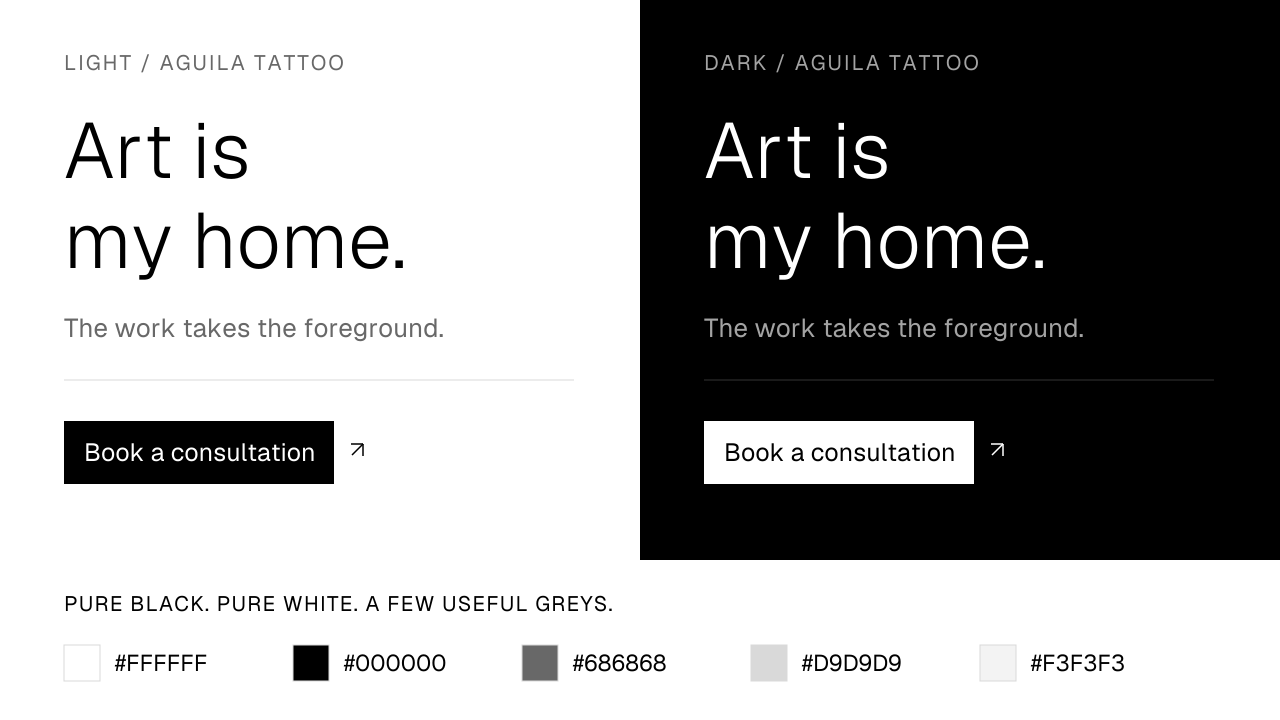
Dark mode follows the device by default. The system, light, and dark choices sit in the footer. Language controls live there too. They remain available without taking attention away from the work.
For typography, I chose Geist. Its light display weight gives the large headlines an open, editorial feeling, while its regular weight stays clear in navigation and body text. To my eye, that contrast works well alongside the linework and shading in the photographs. The type gives the artwork room.
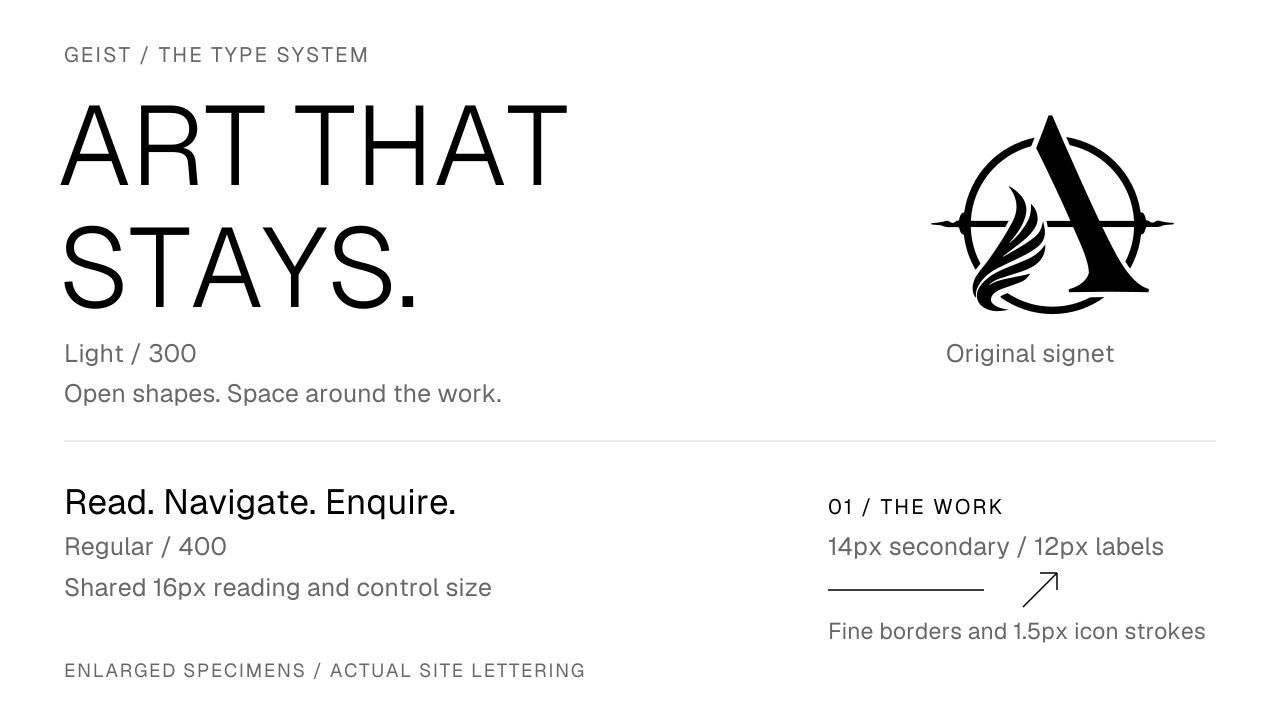
We refined the scale as we went. Reading text, navigation, and calls to action now share a 16px size, with 14px and 12px reserved for secondary information and labels. Hierarchy comes from weight, spacing, casing, and colour as well as size. Minimalism still needs comfortable reading text.
The same care extends to the smaller pieces: square action buttons, fine dividers, matching 1.5px icon strokes, and consistent gaps between text and arrows. The original logo was cropped and optimized as SVG, then balanced against the name and subtitle in the header. The navigation gently compresses as you scroll, with its space reserved so the content stays stable.
The story belongs to Richelle
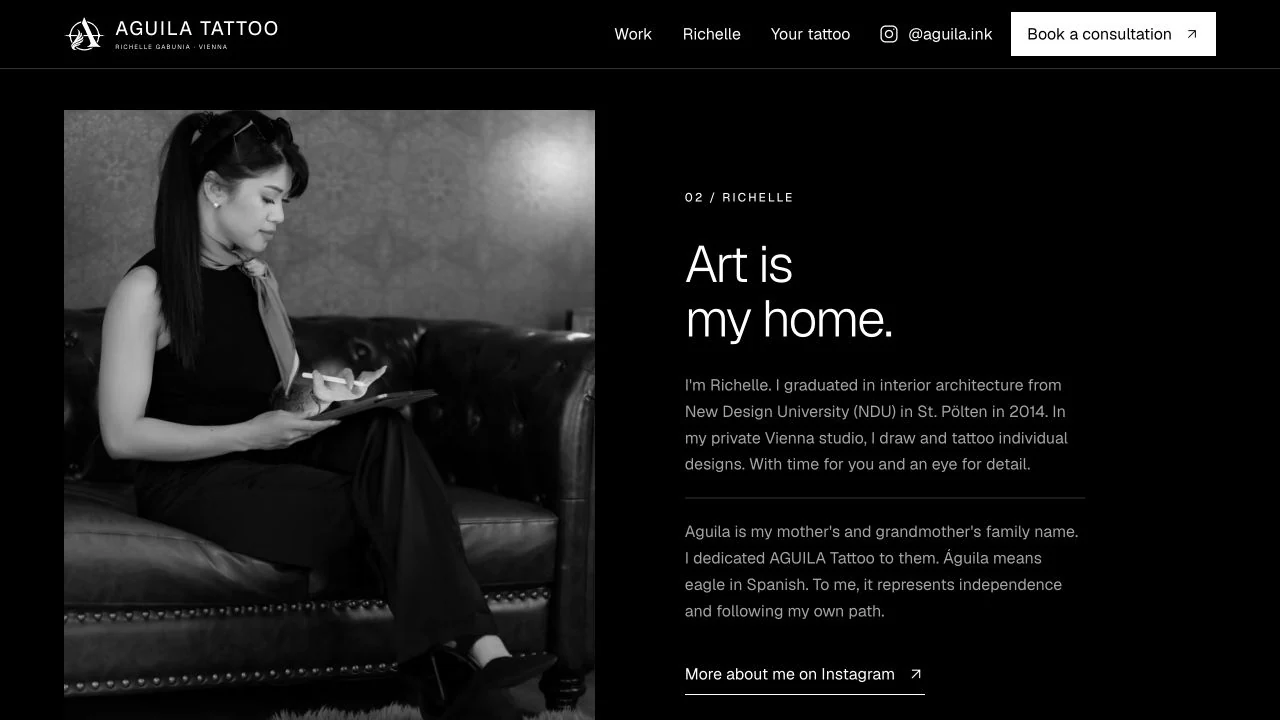
AGUILA is her mother's and grandmother's family name. Richelle dedicated the studio to them. Águila means eagle in Spanish; for her, it also represents independence and following her own path.
That story gives the name meaning. We kept the telling short and placed it beside her portrait, where it feels like an introduction to the person whose work you have just seen.
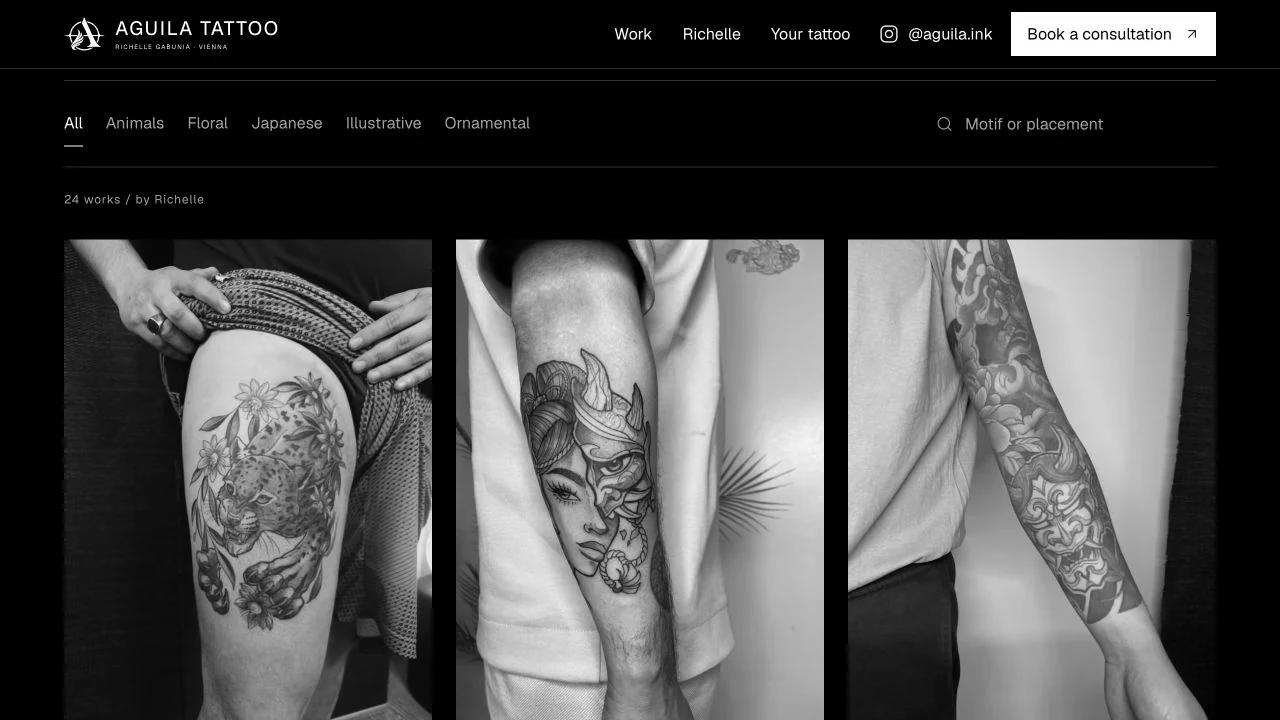
Her feedback changed the language elsewhere too. She uses “studio,” so that is what the site says. Some tattoos initially grouped as “fineline” weren't accurately described that way, so the gallery moved to motif categories: animals, floral, Japanese, illustrative, and ornamental.
That correction is a good example of where collaboration matters. A label can look reasonable in an interface and still misrepresent the work. Richelle knows the work. The website needs to respect that knowledge.
Make the gallery feel good to use
The current selection contains 24 works across 40 photographs. Ten works have multiple perspectives. Grouping those photographs lets someone understand how a tattoo sits on the body without treating every angle as a separate piece.
The viewer opens full screen. You can swipe between works, explore perspectives with the dots, use the arrow keys, and close it with Escape. Individual tattoos have shareable links, and browser Back and Forward work with the viewer.
We also removed things. An early version put too many inquiry prompts around individual photos. Richelle's feedback made it clear that the gallery needed more space to simply show the tattoos. The booking route is already established elsewhere.
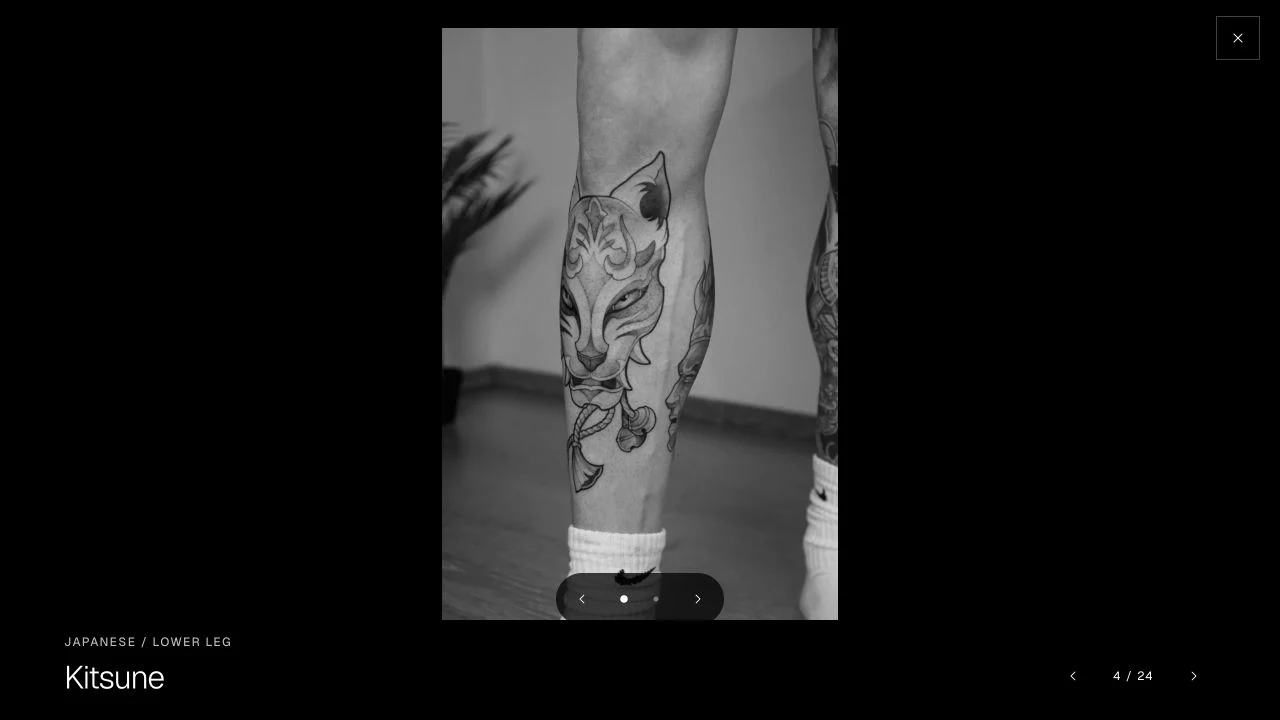
Getting the swipe right took more than adding a transition. The photograph now follows the finger, and the movement continues on release. Adjacent works are prepared at low priority. The outgoing image stays visible until the incoming image has decoded, avoiding the flash we saw in an earlier version. Data-saving connections skip that adjacent preloading.
Search stays local, with German and English motif synonyms. We considered AI search in the initial brief, but this small catalog is well served by predictable filtering without another network request. AI helped build the experience; the visitor gets a straightforward gallery.
Prepare the media before it reaches the browser
Richelle supplied roughly 2.6GB of original media. The deployed site ships a curated, optimized set of about 10.8MB. That is the total asset collection, not the amount every visitor downloads.
The photo pipeline handles orientation, converts HEIC where necessary, resizes the selected images, produces monochrome WebP files, and strips metadata. Next.js then serves responsive image sizes in modern formats. A manifest records the selected source files so preparation is repeatable.
Video needed its own treatment. The hero uses an eagle tattoo clip, with separate compositions for desktop and mobile:
- Desktop: 1600 × 900, approximately 2.7MB.
- Mobile: 720 × 1280, approximately 1.2MB.
A six-second section plays forward and then in reverse, producing a twelve-second loop without a hard cut at the boundary. FFmpeg applies the crop, monochrome treatment, 24fps output, and H.264 compression before the file is served.
We also remove the audio stream from the file itself with -an. The shipped clip contains no original recording audio. Private metadata and chapters are stripped as part of the same step.
Original clip
  → orient and crop for each screen
  → monochrome, 24fps, forward/reverse loop
  → H.264, audio removed, metadata stripped
  → desktop/mobile files and matching posters
The browser first gets a matching AVIF poster, with WebP fallback. It requests only the appropriate composition. Automatic video playback begins after the poster is ready and the browser has idle time. Reduced-motion and data-saving preferences keep the poster until someone explicitly chooses to play.
Playback pauses when the hero leaves the screen or the tab is hidden. A manual pause survives scrolling away and back. If the video fails, the poster, text, and consultation link still work. Subtle parallax uses native CSS view timelines where supported, with a static fallback.
These details make a large video hero practical. The loading and playback behaviour are part of the design.
Building with an AI harness
I used Codex throughout the build. The useful part of the harness was the whole working environment: repository access, image inspection, browser checks, test execution, and deployment. It could take a concrete piece of feedback through to a version we could actually review.
The workflow became a repeated loop: turn Richelle's feedback into a specific change, implement it, inspect the result, run the relevant checks, and deploy a version we could review. We could then look at the page again and decide what still felt off.
The initial direction covered the palette, references, media, booking flow, and technical expectations. Later requests became much more precise: align the logo, keep the German hero heading on two lines, simplify the footer, match the action sizes, make the swipe smoother. Having something real to look at made those conversations easier.
I wanted the implementation to support that pace. The site uses Next.js, React, Tailwind, and shadcn/ui with Radix primitives. Shared tokens keep the visual rules consistent. Storybook gives individual components a place to be inspected. Vitest, Playwright, axe, type checks, and media verification provide feedback on the things a screenshot can't tell us.
The harness makes it easier to try and verify changes. Deciding which changes make the site feel right still takes attention. Richelle supplies the understanding of her work and studio; I bring the interface and engineering judgment. That conversation is what keeps the result specific to her.
Lighthouse, with the context attached
I wanted the site to score well while keeping its photographs and video. One set of saved Lighthouse 13.5 reports for the deployed website recorded:
| Category | Mobile | Desktop |
|---|---|---|
| Performance | 99 | 100 |
| Accessibility | 100 | 100 |
| Best Practices | 100 | 100 |
| SEO | 100 | 100 |
In that mobile run, Largest Contentful Paint was 2.0 seconds, Total Blocking Time was 30ms, and Cumulative Layout Shift was zero. A later local production run after further UI refinements scored 93 for mobile performance and 100 on desktop, with 100 in the other categories. These are snapshots of different runs and revisions, not a guarantee for every visit. Lighthouse's scoring documentation explains why results vary with testing conditions.
The work behind those numbers includes a high-priority hero poster, a self-hosted Geist subset of about 38KB instead of the original 70KB, and gallery dialogs that load on demand. The pages are prerendered, the map loads lazily near the footer, and the homepage avoids downloading the full-screen viewer immediately. Speed Insights is in place to gather field measurements.
Accessibility also needs attention beyond a score. Lighthouse excludes manual checks from its accessibility score. Our browser tests cover focus handling, keyboard navigation, reduced motion, and the gallery's behaviour alongside automated axe scans.
One useful refinement was focus styling. Opening a dialog with a pointer had made its initial focus ring feel unnecessarily prominent. We used :focus-visible so keyboard focus remains clear while pointer interactions look calmer. Focus still moves into the dialog and returns when it closes. The visual refinement and the interaction behaviour belong together.
The details that make it feel finished
Reviewing the website with Richelle gives us a place to keep checking the experience and confirming that the content feels right to her.
What I like most about this project is how much of the finished feeling comes from small, specific decisions. Actual black. A clearer logo. The right word for the studio. Accurate gallery labels. Fewer prompts over the photographs. A video that respects a pause. A form that fits how she already works.
You can explore the website to see how those decisions fit together.